
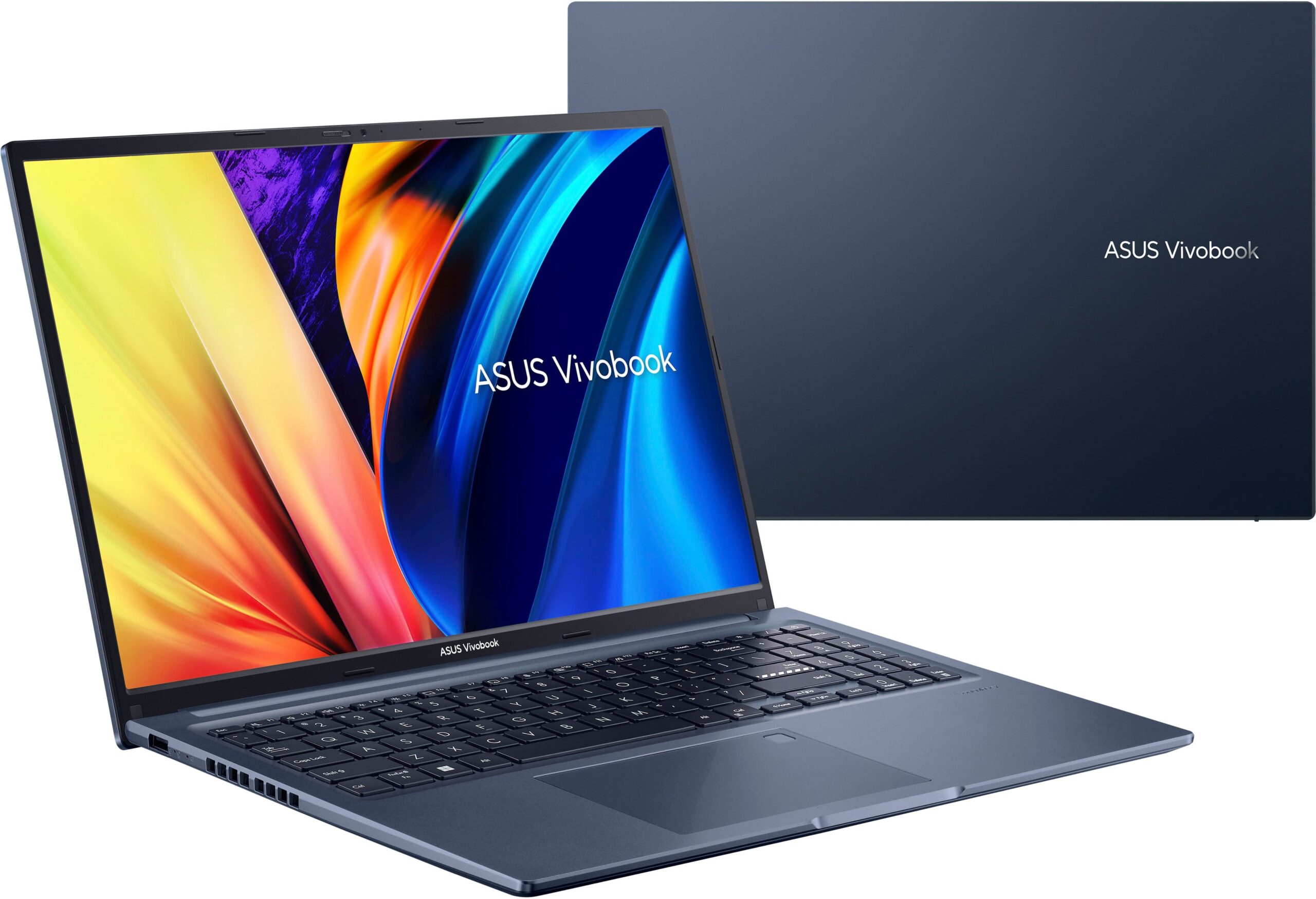
ASUS VivoBook: Features, Performance, Design and Buying Guide
Contents


ASUS VivoBook: An Overview
The ASUS VivoBook is a laptop series designed for students, professionals, home users, and people who need a computer for everyday work. The lineup includes different models with different processors, display sizes, memory configurations, and storage capacities. Depending on the model, users can choose a laptop for online classes, office tasks, entertainment, programming, or creative work.
ASUS offers several options in the VivoBook family, including VivoBook Go, VivoBook 14, VivoBook 15, VivoBook 16, and VivoBook S models. Each series has its own combination of features and performance capabilities, so choosing the right version depends on the user’s needs and budget.
1. Design and Build Quality
One of the main attractions of the ASUS VivoBook series is its modern design. Many models feature a slim profile, a clean finish, and a practical keyboard layout. These features make the laptops suitable for students who carry their computers to college, libraries, and other study locations.
Some models prioritize portability, while others provide a larger display for working with documents, spreadsheets, and multiple windows. The exact weight, thickness, and materials vary by model, so buyers should check the specifications of the particular laptop before purchasing.
2. Processor and Performance
The processor plays an important role in determining how quickly a laptop handles everyday tasks. ASUS VivoBook models are available with different Intel and AMD processors, while selected newer versions use Snapdragon processors.
For basic activities such as web browsing, online classes, document editing, and watching videos, an entry-level or mid-range configuration may be sufficient. Students who regularly use programming tools, larger spreadsheets, or multiple applications may benefit from a more powerful processor.
Some newer VivoBook models also feature Intel Core Ultra or AMD Ryzen AI processors. Availability depends on the specific model and configuration.
3. Display Quality
The display is another important feature to consider when buying an ASUS VivoBook laptop. The series includes different screen sizes, including 14-inch, 15.6-inch, and 16-inch options, depending on the model.
A 14-inch laptop can be convenient for students who travel frequently. A 15.6-inch or 16-inch screen can provide more workspace for reading documents, preparing assignments, editing spreadsheets, and multitasking.
Some configurations feature Full HD or Full HD+ IPS displays, while selected VivoBook S models offer OLED panels. OLED screens can provide deeper blacks and rich contrast, making them appealing for movies, photographs, and other visual content.
However, not every VivoBook has the same display quality. Buyers should check the resolution, panel type, refresh rate, and brightness of the exact model they plan to purchase.
4. RAM and Storage
RAM and storage are important for overall laptop performance.
Many ASUS VivoBook configurations offer 8GB or 16GB of RAM, while selected models support up to 32GB or more, depending on the series. For everyday student work, 8GB can be adequate, but 16GB is worth considering for smoother multitasking and more demanding applications.
Storage is equally important. Many newer configurations offer solid-state drives (SSDs), including options with 512GB or 1TB capacity. An SSD helps the laptop start up quickly and open applications faster than a traditional mechanical hard drive.
Before buying, check whether the memory is upgradeable. Some laptops have memory that cannot be replaced or expanded, while others support upgrades within specified limits.
5. Battery Life and Portability
Battery life matters for students and professionals who work away from a power outlet. ASUS VivoBook battery performance varies depending on the processor, battery capacity, display, workload, and power settings.
Light tasks such as reading documents and browsing the web generally consume less power than gaming, video editing, or running demanding applications. Screen brightness and background programs can also affect battery life.
For people who attend classes or travel regularly, it is useful to compare battery capacity, weight, charging options, and independent battery-life tests before making a decision.
6. Keyboard, Touchpad, and Connectivity
A comfortable keyboard is essential for writing assignments, preparing reports, and entering data. Many VivoBook laptops feature full-size keyboards, and selected models include backlit keys that are useful in dim environments.
The touchpad allows users to navigate the operating system without carrying a separate mouse. Some models also offer fingerprint sensors, larger touchpads, or additional gesture controls.
Connectivity options differ across the range. Depending on the model, users may find USB-A, USB-C, HDMI, audio, and other ports. Check the official specifications if you need to connect an external monitor, projector, storage drive, or other accessories.
7. ASUS VivoBook for Students
The ASUS VivoBook can be a practical option for college and university students. It can support many common academic activities, including:
-
Preparing assignments in Microsoft Word or compatible applications.
-
Creating presentations and spreadsheets.
-
Attending online classes and video meetings.
-
Researching information on the internet.
-
Learning programming and basic software development.
-
Watching educational videos and accessing digital study materials.
For a student on a budget, a VivoBook with an efficient processor, an SSD, and sufficient RAM may offer a useful balance of price and everyday performance.
Students should also check whether the laptop includes the required software and whether any Microsoft Office subscription or license is included with their chosen configuration.
8. Is ASUS VivoBook Suitable for Gaming and Editing?
The answer depends on the specific model.
VivoBook laptops with integrated graphics can handle many everyday visual tasks and some lightweight games, but they may not deliver the performance required for demanding modern games or intensive 3D applications.
Selected performance-focused configurations have more capable graphics hardware. For example, some VivoBook 16X models have been offered with NVIDIA GeForce RTX graphics, making them more suitable for certain creative applications and gaming workloads.
For video editing, photo editing, or gaming, consider the graphics processor, RAM, cooling system, display quality, and storage capacity together. Do not assume that every laptop carrying the VivoBook name has the same capabilities.
9. What Should You Check Before Buying?
Before choosing an ASUS VivoBook, compare these important factors:
-
Processor: Select one that suits your academic, professional, or entertainment needs.
-
RAM: Consider 16GB if you expect to multitask regularly.
-
Storage: A 512GB SSD is a useful starting point for many users.
-
Display: Choose the screen size and panel type that suit your work.
-
Battery: Look for reliable independent battery tests.
-
Weight: Consider portability if you carry your laptop daily.
-
Warranty: Check the warranty terms and service availability in your area.
-
Price: Compare the exact model number and configuration rather than relying only on the product family name.
10. Final Verdict
The ASUS VivoBook series offers a range of laptops for everyday computing, studying, office productivity, and selected creative workloads. Its main advantage is the variety of configurations available across different screen sizes, processors, and price categories.
For students, a model with a modern processor, 16GB RAM, and SSD storage can be a sensible choice for assignments, online learning, and multitasking. Users who need gaming or professional editing performance should compare the graphics hardware and cooling capabilities carefully.
Ultimately, the best ASUS VivoBook is the model that meets your requirements without exceeding your budget. Always confirm the specifications, price, and warranty of the exact configuration before purchasing.